CSS is a new programming language...
April 05, 2026
CSS is a new programming language...
Sorta. CSS now has object-based API that you can interact with JavaScript.
CSS has long relied on string-based manipulation in JavaScript, which often leads to subtle bugs and cumbersome code.
First introduced in Chrome 66 (April 2018), Typed OM allows developers to set, get, and manipulate styles using typed values with units, arithmetic operations, and even unit conversions. Instead of working with string concatenation or guessing whether to use camelCase or kebab-case, CSS can become more predictable and performant.
Typed OM is accessible via .attributeStyleMap on elements and
.styleMap on stylesheet rules. This Map-like API supports standard
operations like get, set, delete, and iteration, making it easy to loop through or
modify styles programmatically.
Although initially available in Chrome, support has expanded to Chromium-based browsers and Safari (16.4+), while Firefox still lacks built-in support as of late 2025.
Here, we will try styling these 4 blocks with this new CSS APIs:
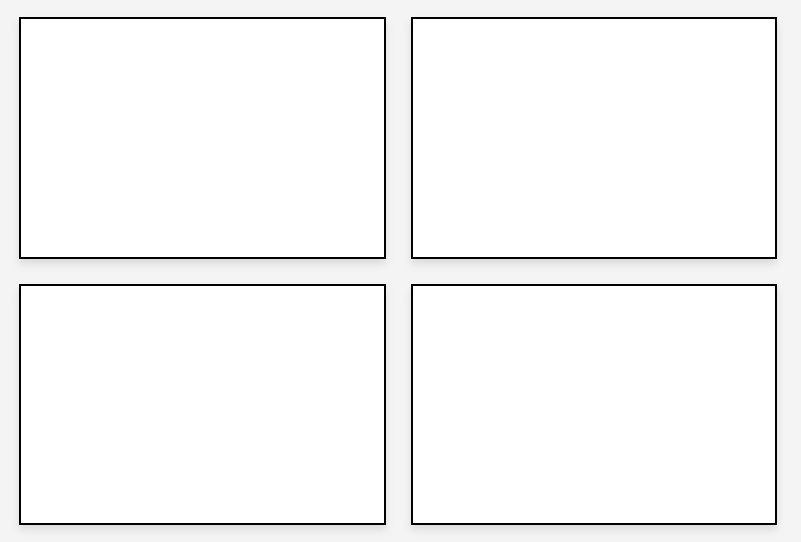
For the first block, we apply padding-top and a background effect using an API like this:
blocks[0].attributeStyleMap.set('padding-top', CSS.px(40));
blocks[0].attributeStyleMap.set('background-color', 'lightgrey');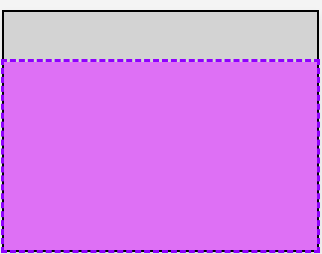
Note: Padding is a shorthand property and cannot directly use a single typed value:
blocks[0].attributeStyleMap.set(
  'padding',
  new CSSUnparsedValue(['40px'])
);
CSSUnparsedValue is a type of object that represents CSS property values that include custom properties (CSS variables) or other raw fragments. It has a list of tokens, and each token is either a string (USVString) or a CSSVariableReferenceValue.
For example, var(--main-color) 10px could be stored as:
[CSSVariableReferenceValue('--main-color'), " ", "10px"]It has a .length property, and you can read and write individual tokens using an index:
let val = unparsedValue[0]; // get first token
unparsedValue[1] = "5px";   // set second token
So, here CSSUnparsedValue is a fallback wrapper that allows us to pass a raw CSS string to attributeStyleMap without converting it into a fully typed value. In theory, CSS.px(40) should work, but the browser may not recognize this and expects a different type. CSSUnparsedValue lets us package the raw CSS text as a Typed OM object. It’s not fully “typed,” but it bypasses strict type checks.
This is all simple for now, and let’s style the second block with an interactive element. We will be using CSSTransformValue because in Typed OM, it is not possible to use string-based values like:
transform: translate(10px, 20px) rotate(45deg) scale(2);
Instead, we create transform components, where each component represents an individual value. At least one CSSTransformComponent must be provided.
const transform = new CSSTransformValue([
new CSSTranslate(CSS.px(20), CSS.px(0)),
new CSSTranslate(CSS.px(20), CSS.px(0)),
new CSSRotate(CSS.deg(3)),
new CSSScale(1, 1.2)
]);

blocks[1].attributeStyleMap.set('transform', transform);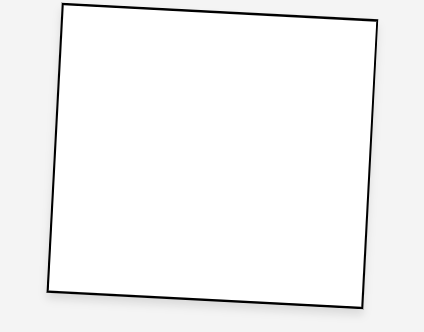
This simply moves, rotates, and scales the element. You can read more about CSS transform values in the Typed OM context here .
For block three, we can create a simple dropdown which consists of two components: a header and content, where the content is shown or hidden when the dropdown is toggled.
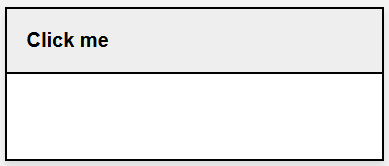
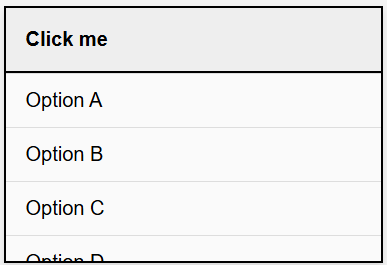
Think of it as modular pieces that you can connect together. We define two values: a default height for the closed state and a maximum dropdown height for the open state. Toggling the dropdown is simply a matter of resetting these values and combining them.
const blocks3 = blocks[2];
const content = blocks3.querySelector('.dropdown-content');
const content = blocks3.querySelector('.dropdown-content');
const header = blocks3.querySelector('.dropdown-header');

let open = false;
const defaultHeight = 120;
const maxDropdownHeight = 150;
In the default state, the content is set to 0px (hidden), and blocks3 (which represents the entire block) is set to the default height of 120px.
content.attributeStyleMap.set('height', CSS.px(0));
blocks3.attributeStyleMap.set('height', CSS.px(defaultHeight));
We then attach the event listener to the header piece, and pre-compute the value of the content height, which will later be connected to the header.
The content’s scrollHeight represents its natural height based on its children. However, we don’t want the dropdown to grow unbounded, so we clamp this value using Math.min(). targetHeight is therefore guaranteed to stay within the allowed range.
- If the content is shorter than 150px, it expands fully.
- If it exceeds 150px, it is capped and scrolls internally using overflow-y: auto
const scrollHeight = content.scrollHeight;
const targetHeight = Math.min(scrollHeight, maxDropdownHeight);
If the condition is true, the content piece is assigned the pre-computed height value, depending on the length of the content. If it exceeds the defined maximum value, it is clipped and scrolls internally using overflow-y: auto, but the resulting value is always constrained between the two endpoints.
Since we are connecting this piece to the header, we need to add together the header height and our earlier targetHeight, which represents the height of the content.
If the condition is false, the dropdown returns to its default (closed) state.
For the final block, we could put together everything we have learned above and create a simple wizard-like block. The principles are the same.
const block4 = document.getElementById('block4');
const steps = Array.from(block4.querySelectorAll('.step'));
const steps = Array.from(block4.querySelectorAll('.step'));

steps.forEach(step => {
const header = step.querySelector('.step-header');
const content = step.querySelector('.step-content');

const headerHeight = header.offsetHeight;
const contentHeight = content.scrollHeight;

step.attributeStyleMap.set('height', CSS.px(headerHeight));
content.attributeStyleMap.set('height', CSS.px(0));

let open = false;

header.addEventListener('click', () => {
const targetHeight = content.scrollHeight;

if (!open) {
  content.attributeStyleMap.set('height', CSS.px(targetHeight));
  step.attributeStyleMap.set('height', CSS.px(headerHeight + targetHeight));
} else {
  content.attributeStyleMap.set('height', CSS.px(0));
  step.attributeStyleMap.set('height', CSS.px(headerHeight));
}

open = !open;
});
});
Personally, I find it fun using Typed OM, and I might consider defaulting to this mental model .. although cautiously. It looks overengineered on the surface, but that’s the fun part!!
You get a level of control and precision that is not possible with older CSS APIs, and it’s satisfying to see the result working by piecing elements together programmatically.